Pega Constellation
Pega 8.8
DesignDevelop
  • About Constellation

    • Overview
    • Getting started
    • UI architecture
    • Design kits
    • About Constellation patterns
    • Starting the work day
    • Managing work
    • Completing Tasks
    • Searching for information
    • Navigating the application
    • Creating custom landing pages
    • Explore data
    • Using contextual information
    • About Constellation components
    • form controls

      • Button
      • Checkbox
      • Currency input
      • Date and time inputs
      • Email input
      • File input
      • Form progress
      • Forms
      • Location input
      • Number input
      • Phone input
      • Radio button
      • Rich text editor
      • Select and combobox
      • Skip links
      • Text area
      • Text input
      • URL input
    • case

      • Lifecycle
      • Attachments
      • Case Page
      • Case Preview
      • Followers
      • Pulse
      • Related cases
      • Stakeholders
      • Tasks
    • navigation

      • Breadcrumbs
      • Links
      • Main navigation
      • Tabs
    • information display

      • App announcement
      • Avatar
      • Badge
      • Banner
      • Card
      • Date time display
      • Empty state
      • Field groups
      • File display
      • Icon
    • overlays

      • Modal dialog
      • Popover
      • Toast
      • Tooltip
    • tables and lists

      • Field-value list
      • Meta list
      • Summary list
      • Table
      • Timeline list
  • guidelines

    • Accessibility
    • Design tokens
    • Responsive UI
    • UX and writing
  • Overview
  • Search function and search results page

Searching for information

Search function and search results page

Users can search for content within your application using the global search function in the main navigation or application header. Users will then land on the search results page, where they can find or filter their search results.

Users can also search and filter list types in nearly every part of the UI by using the toolbar.
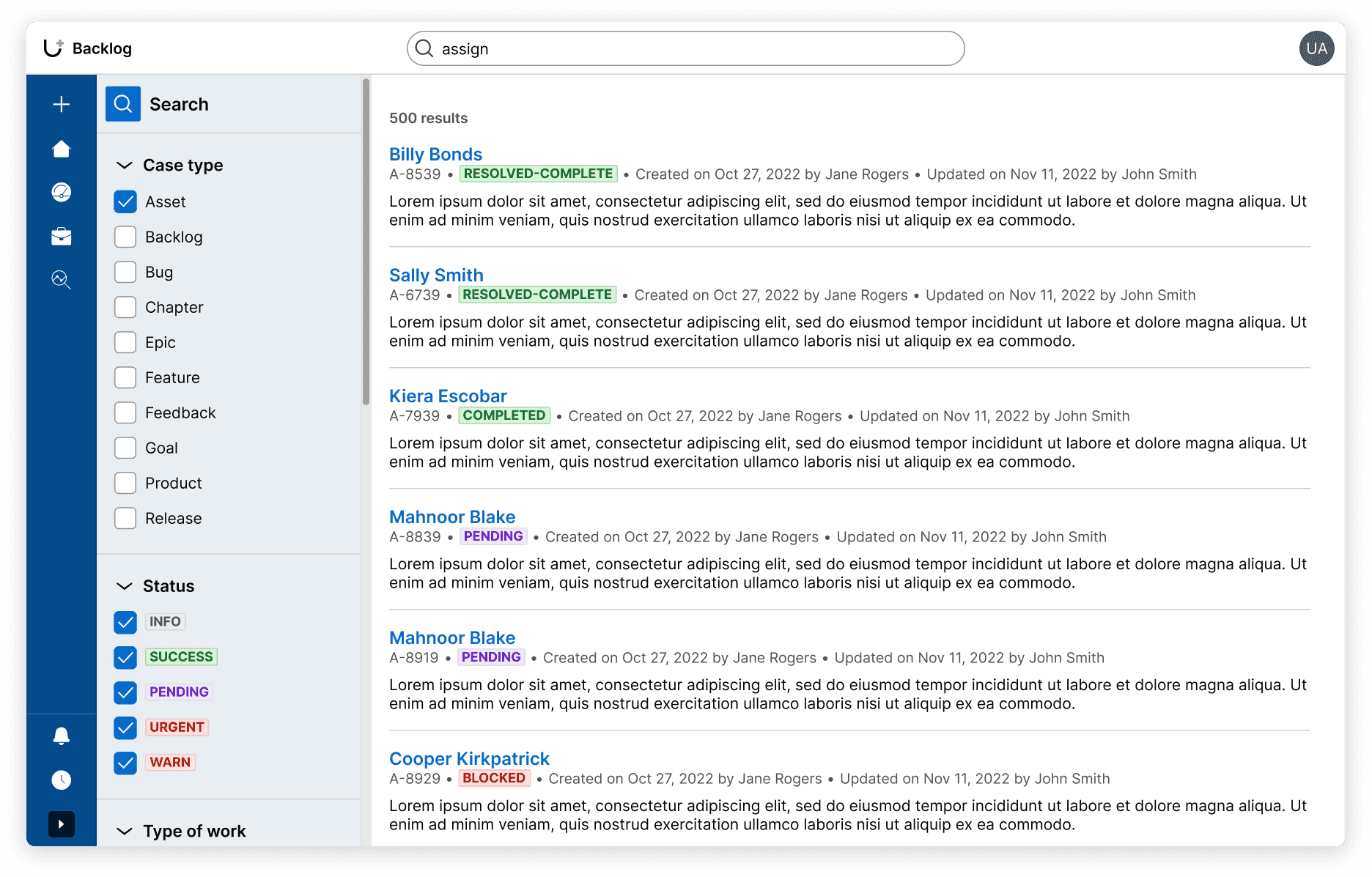
8.7-Search results