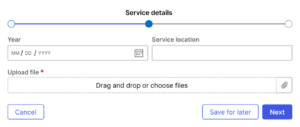
The form progress component indicates a user’s position within a multi-step form and is positioned above the form content.
Usage
Form progress is shown when a user is completing a process containing more than two Steps.
Each Step in form progress must have content for the form as well as actions, which include buttons. Users navigate through form Steps using “Previous” and “Next” buttons.
Only the current Step’s label will be displayed in the form progress component, for the sake of reducing visual noise and preserving layout space. All other Step labels will display within a Tooltip when the user hovers or focuses over the Step.
Configuration
To learn how to configure this component in a Pega application, visit Pega Documentation.
All information on this site is for Pega’s UX design system, also known as Constellation (from 8.8 and onwards). If you have questions, concerns, or any other feedback, please reach out to us on Pega Forums where you can post on the User Experience Expert Circle.
Related components