Landing pages provide your users with the context of the application and the tools they need to efficiently understand, plan, and complete their work efficiently.
Out-of-the-box landing pages include Home, Explore Data, Dashboards. It’s also possible to make additional custom landing pages to support the application’s unique goals. Each landing page allows for setting a title and a custom page icon.
What types appear in the design system
Home
When users open your application to begin their work day, they will see the home page.
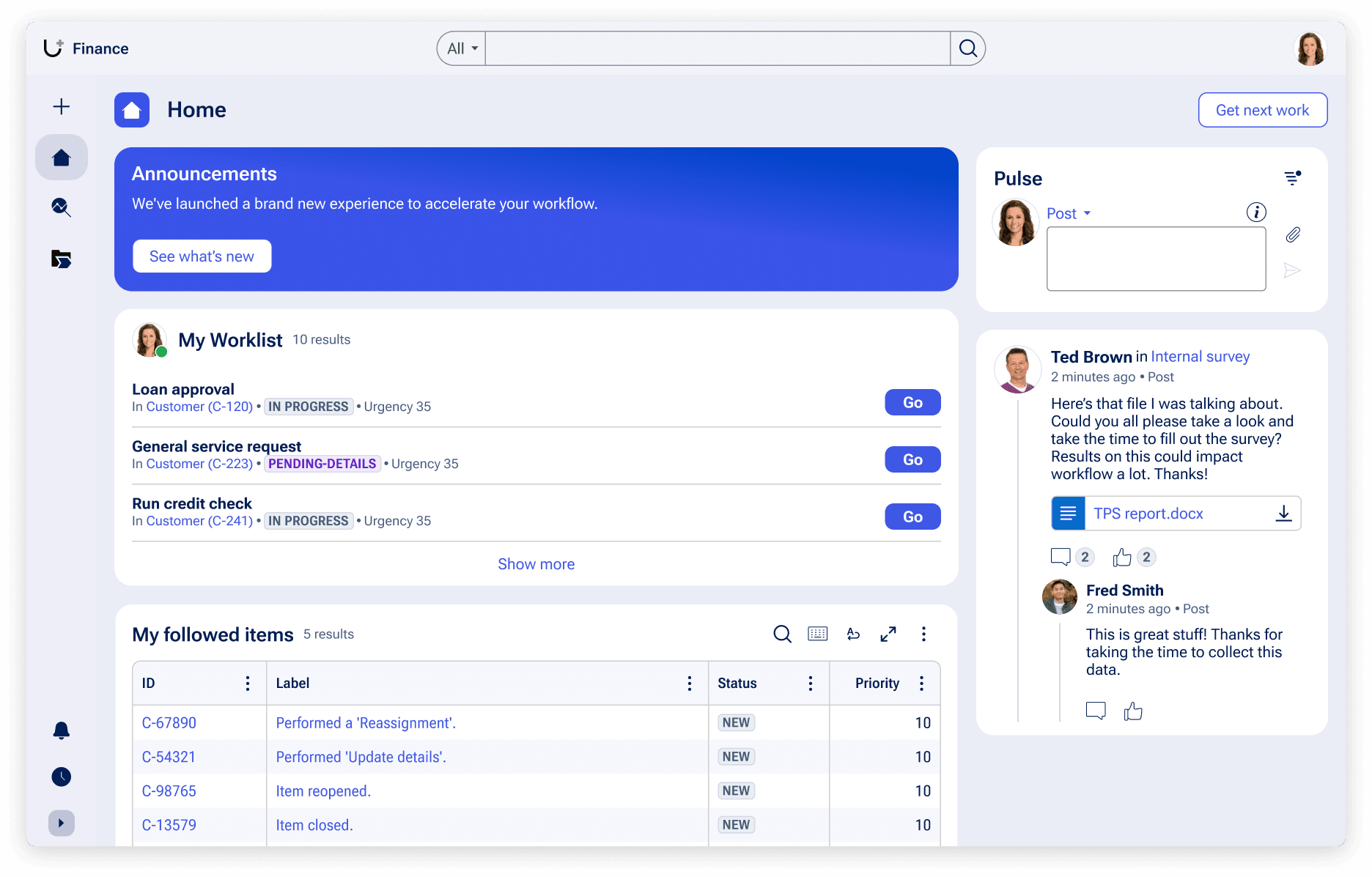
The default home page contains widgets, data insights, or views of data relevant to your users’ work. The configurable home page is designed to give users all the critical contextual information they need to act on.
A default home page consists of the following:
- The “App Announcement” widget within the home page highlights important information users should see at the start of their work day.
- The “Todo” widget supplies an overview of all work to be done by the user, or if the right permissions are enabled, by their team.
- A “My followed items” view, helping users return quickly to items of work they are either assigned to or interested in.
- A unified Pulse feed keeps users updated on any conversation from any work they are involved with or follow.
Avoid cluttering your home page with excess information. Provide only information that helps users understand what they must do, or information that brings the most value for the organization.
Explore Data
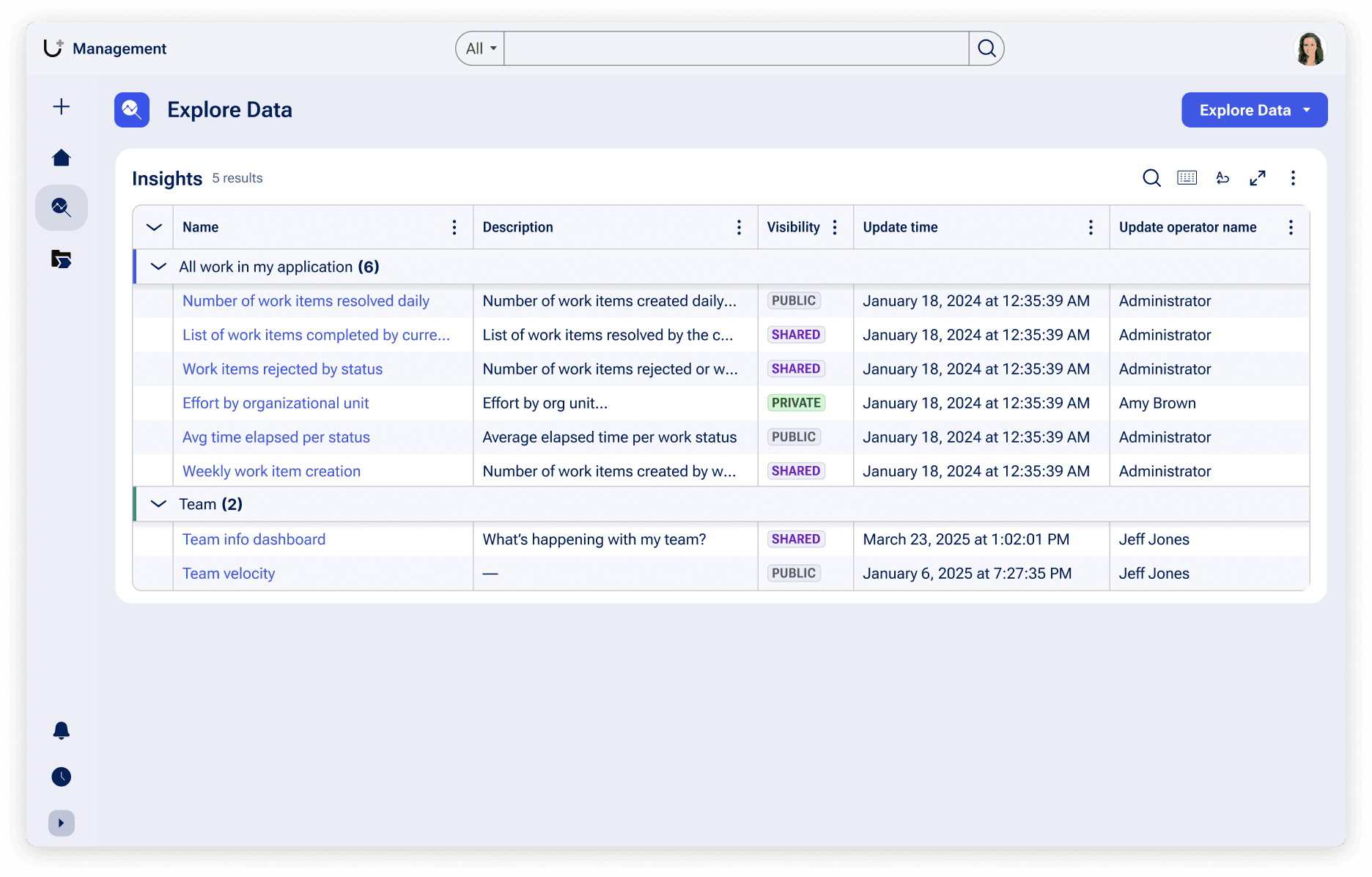
Users may want to use application data (e.g., metrics on Assignments, bugs, sales, etc.) to create and analyze charts. The Explore Data landing page lets users filter, sort, and group data to create public or private “Insights,” or visual depictions of data that reveal valuable information.
Insights offer a variety of ways to visualize data, including area, bar, pie, donut, and column charts, as well as a tables.
Dashboards and custom pages
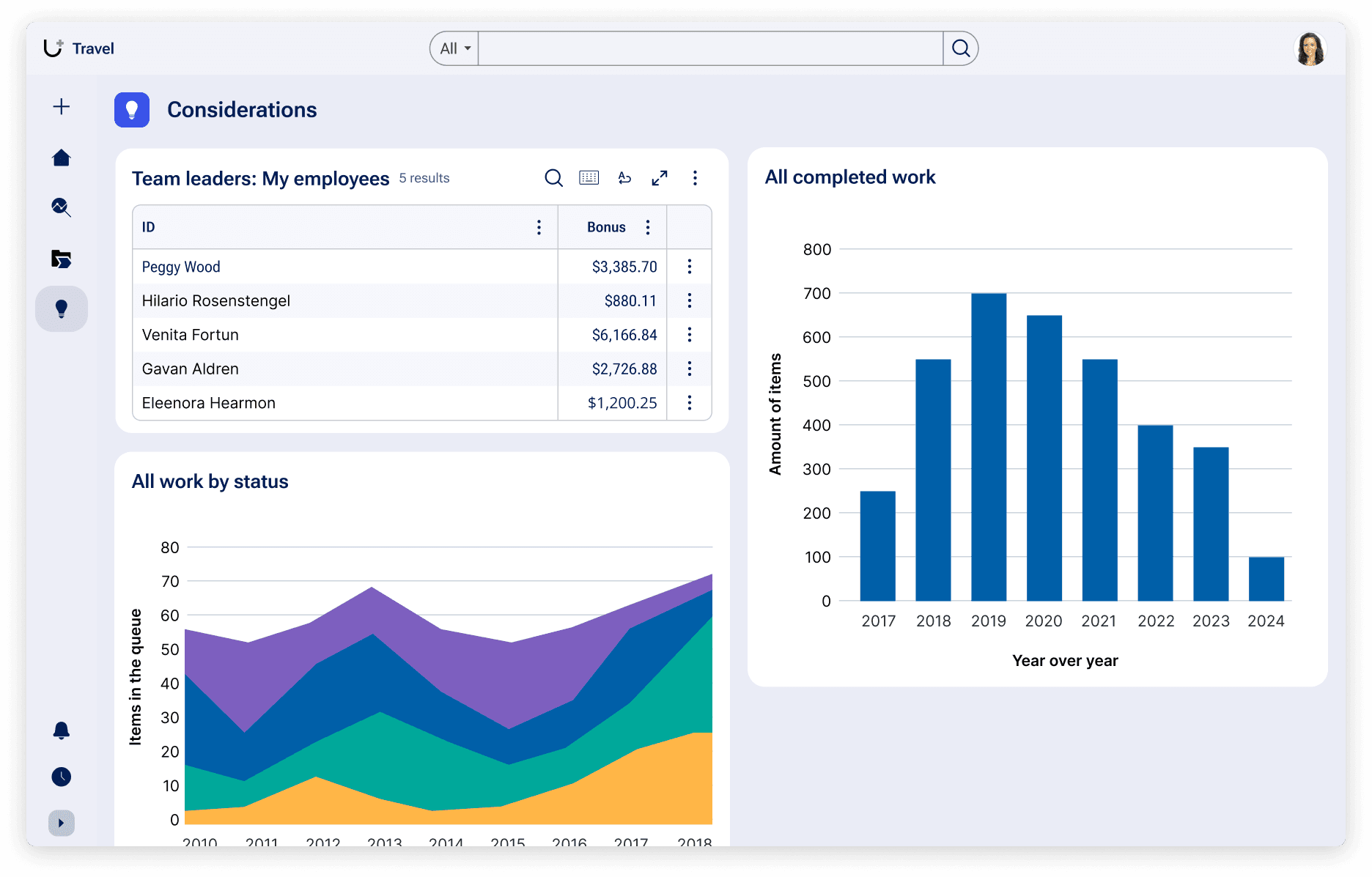
Creating dashboards on a topic or providing a custom landing page for a supplemental list of information can also provide details that extend beyond key workflows. Privacy policies or overviews of specific data are some examples where custom landing pages may be appropriate to use.
Custom landing pages must be individually created and maintained, so use them sparingly and strategically.
Configuration
To learn how to configure custom landing pages in your Pega application, visit Pega Documentation.
Related components
While components can’t be placed wherever in the UI via authoring, knowing how they work in these patterns can help you understand our center-out design practices.